
Record expenses. Recognize patterns.
Analyze purchases and ongoing commitments together instead of looking at individual transactions in isolation.
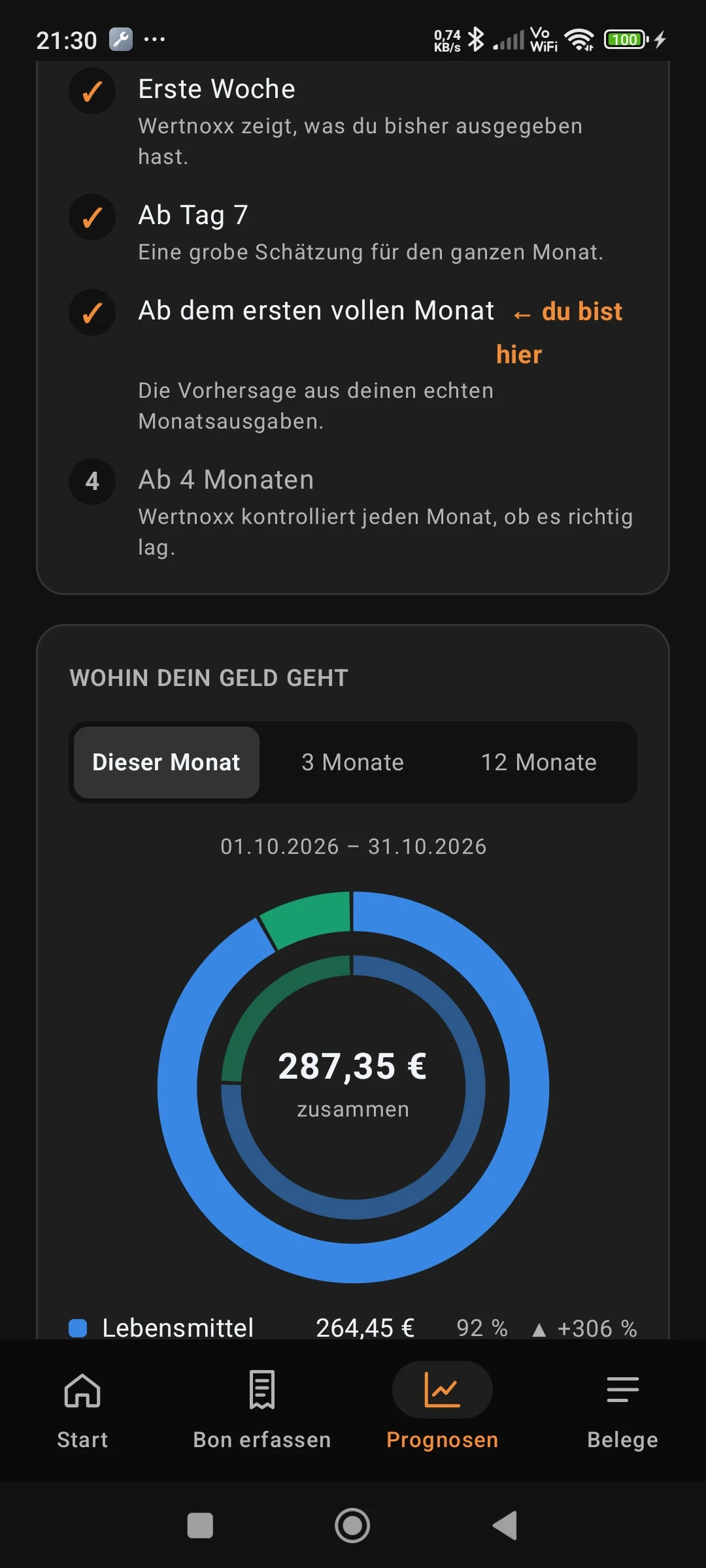
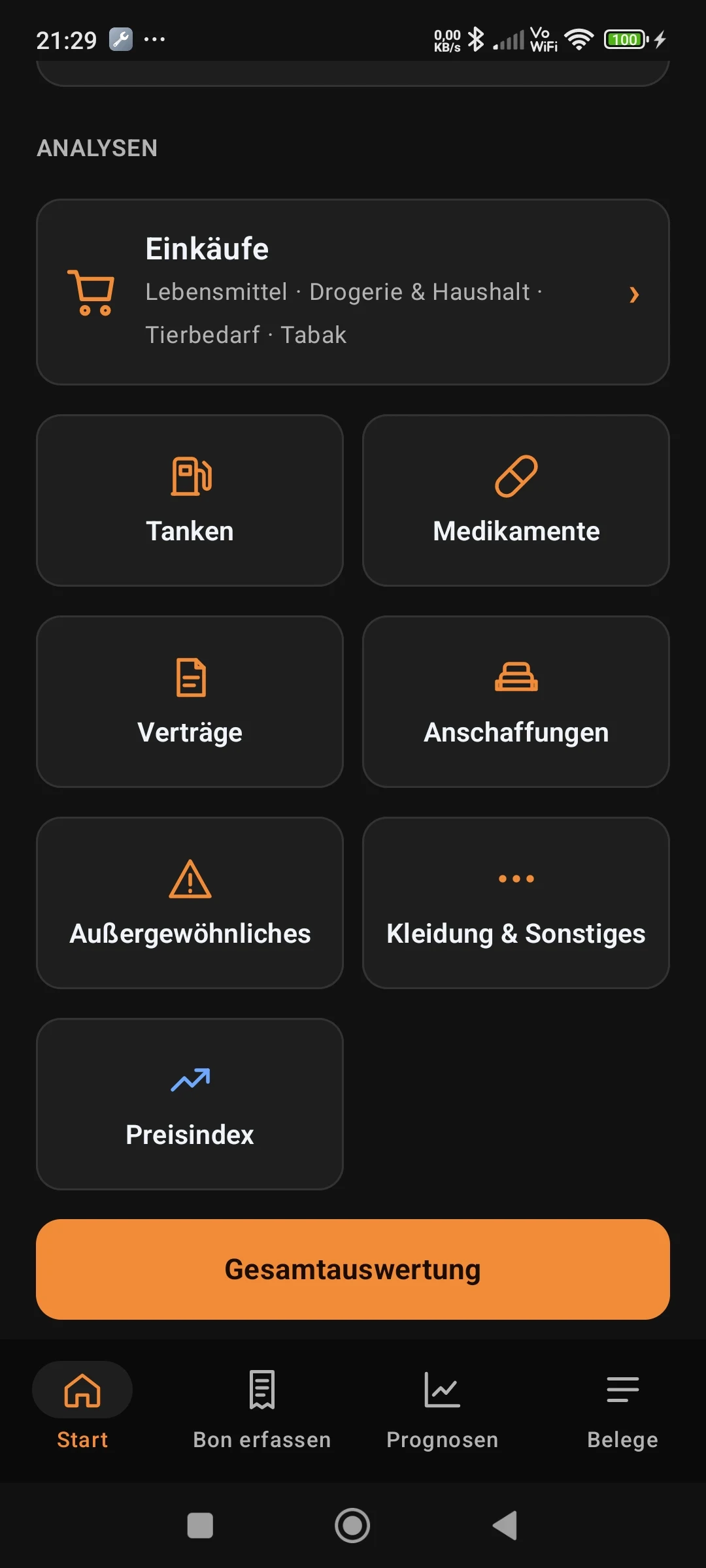
One overview, multiple perspectives
The home screen groups shopping expenses. Groceries, personal care and household items, pet supplies and tobacco are visible together and separately. Other categories and overall analysis complete the picture.
Your spending across all categories
| Category | Includes |
|---|---|
| Groceries | Food and drinks |
| Fuel & charging | Fuel, charging, car washes |
| Pet supplies | Food and accessories |
| Tobacco | Tobacco and nicotine products |
| Personal care & household | Personal care, cleaning, household goods |
| Medication | Pharmacy, prescriptions and co-payments, nonprescription products, ongoing medication |
| Contracts | Rent, electricity, insurance, mobile plans, loans, vehicle installments |
| Purchases | Appliances, furniture, electronics |
| Exceptional expenses | Repairs, renovation, furnishings, replacement after damage |
| Clothing & other | Clothes, shoes and all other purchases |
Recorded expenses and monthly planning
The monthly history adds up the totals of all receipts recorded in the app, including imported contract payments. The overall analysis brings the categories together.
When income is optionally entered, the budget overview also includes payments due during the month and expected ongoing expenses. Contract payments already recorded as receipts are not counted again as variable spending.
Compare months and stores
The app shows how spending changes over time. Stores and categories can be assessed using saved data.
Spending is not the same as prices
A higher monthly total may reflect more purchases, different products or price changes. Price analyses require comparable item and quantity data. A total spending figure alone cannot answer that question.
Only as complete as your entries
WertNoxX analyzes the data you enter and save. It cannot account for purchases or payments that have not been recorded.
Turn expenses
into understanding.
Record first. Then put the figures into context. Finally, identify patterns - using your own data.
Recorded expenses
Receipts and manual entries build your personal spending history.
Every category has its place.
See how your recorded expenses are distributed and which categories shape your month.
All figures in this interactive illustration are sample data. Actual app calculations depend on the data you record.
Record
Receipt, file or manual entry.
Verify
Check recognized details.
Understand
Understand spending and trends.
Expenses are more than individual transactions
Whether shopping, rent or loan installments, looking at costs together reveals which expenses recur and which change.